At a glance
Google reviews are how customers decide whether to trust a business before visiting. The basics are to ask real customers without offering anything in return, and to reply publicly to what each review actually says.
Owners can’t delete reviews they don’t like. Google says it only removes reviews that violate its policies after review, so checking the facts and replying calmly come before reporting.
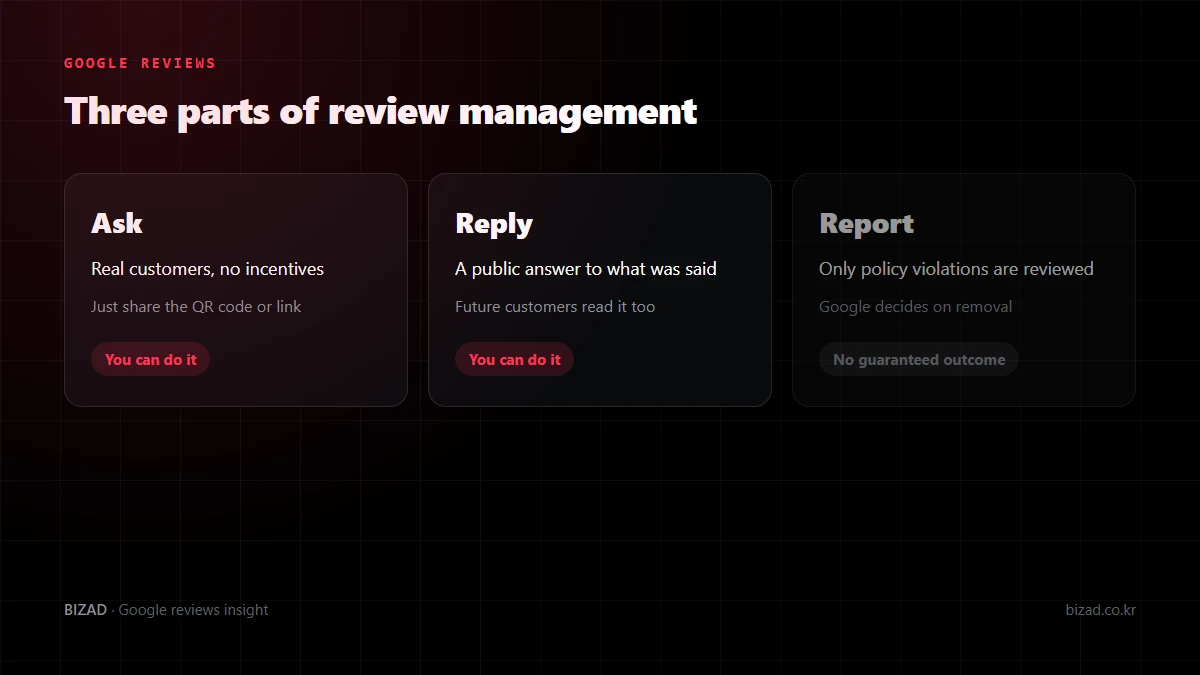
Why do Google reviews matter?
Because they are what customers use to decide whether to trust you before they visit. People compare businesses by the experiences of earlier customers before they read what the business says about itself.
Specific reviews help most. A review describing what actually happened answers other customers’ questions far better than a one-word “Good”.
- A review saying the English menu made ordering easy
- A review saying the place was easy to find from the station
- A review saying staff explained things patiently to foreign guests
Foreign visitors often rely on Google reviews and photos they can read rather than Korean blogs. Google says the number of reviews and positive ratings can help in local search, but remember that reviews are only one of several factors.
How should I ask customers for Google reviews?
Ask real customers, without incentives and without setting the rating or content. Google does not allow offering discounts or free goods or services in exchange for reviews.
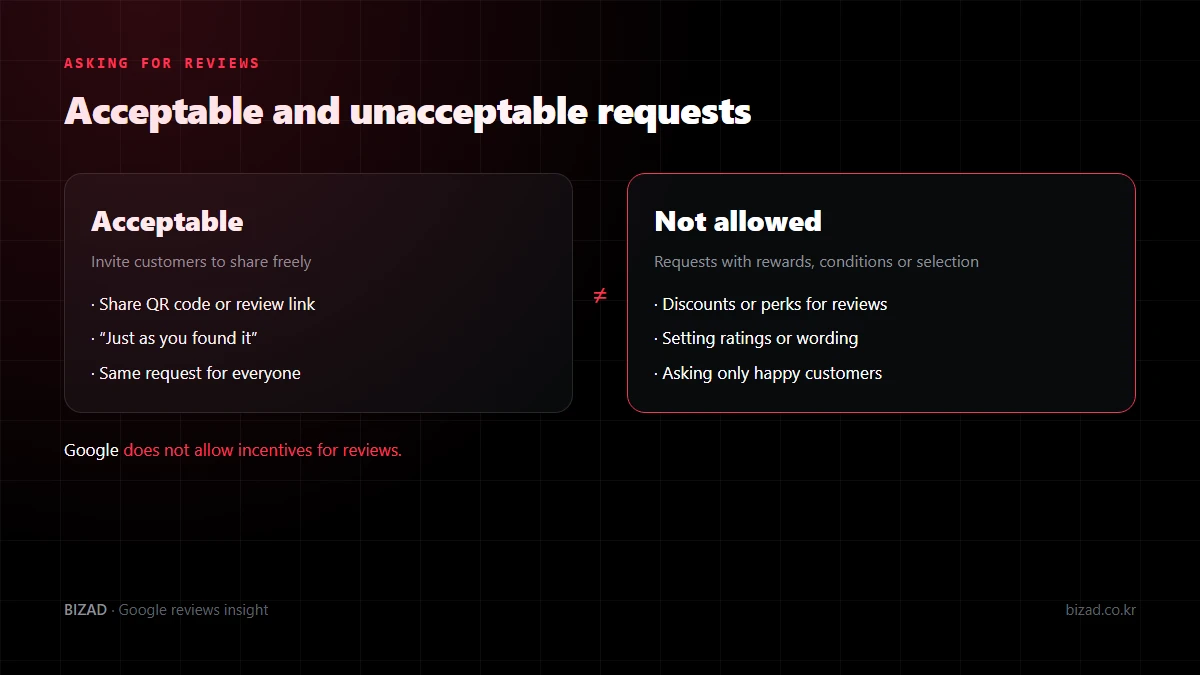
Keep the wording short and neutral so customers write exactly what they felt.
- “Feel free to share your experience.”
- “Please rate and write about your visit just as you found it.”
- “Telling us about the dish or service you had helps other guests.”
Also avoid asking only customers you expect to be positive, having staff write on a customer’s phone, or getting a group to post all at once in the store. Rather than gathering reviews quickly, it is safer to let real customers’ experiences build up steadily.
What should I check before printing a review QR code?
First confirm that it opens the review screen for the right branch and that it scans well at its printed size. If you have branches with similar names, reviews can end up on a different location from the one the customer visited.
- 01Match the target branch by name, address and map location.
- 02Create the link or QR code with the review-request feature in your profile’s management screen. A regular map share link may land on a different screen.
- 03Print one copy at final size and scan it with several devices under the store lighting. You don’t need to post a real review to test it.
- 04Keep the wording neutral, with no rewards or rating conditions attached.
- 05Record where each copy is displayed, and recheck that it still opens the same business after a move or profile change.
Writing a review requires signing in to a Google account, so don’t suggest it is finished the moment the code is scanned. A QR code is less a way to boost review numbers than a path that lets customers leave feedback without hassle.
How should I write review replies?
Reply to what the review actually says, keeping in mind that future customers will read it too. A reply is both an answer to the reviewer and a public response that every customer can see.
| Type of review | How to reply |
|---|---|
| Positive review | Briefly mention what the customer liked and say thanks |
| Complaint | Check the facts, then explain how to follow up and what you will improve |
| Visit can’t be confirmed | Don’t accuse; politely ask for the visit date or details |
| Review in another language | Confirm the meaning, then reply in short, clear sentences |
You need a verified business to reply to reviews in Google Business Profile. Rather than pasting the same text everywhere, check that each reply answers that review — mention parking when parking was praised, and service when service was praised.
If you use a translation tool for replies in other languages, double-check that anything tied to the customer’s next step, such as bookings, refunds or opening hours, matches your actual policy. Take care that translation doesn’t promise rewards or benefits you haven’t confirmed.
How should I reply to negative reviews?
Check the facts before responding, then calmly acknowledge the issue, say what you are checking and how you will improve. Other customers look not only at the negative review but at how the business handled it.
Start with records you can check, such as bookings, orders, payments and visit times. Avoid stating anything you haven’t confirmed, or saying a problem is solved when it isn’t.
- Flat denials such as “That’s not true” or “You never visited us”
- Lines that read as threats, such as “We will take legal action” or “We are reporting this as fake”
- Dismissive lines such as “All our other customers were happy”
- Including the customer’s name, phone number or booking details in a public reply
For example: “We’re sorry for the inconvenience during your visit. We are looking into what happened at that time, and if you’d like us to follow up, please contact the store directly.”
If the same complaint keeps coming up, treat it as a signal to fix how you operate rather than ending with a reply. Fewer repeat problems is the reliable response.
How can I raise my Google rating?
Steadily getting more reviews from real customers is the most reliable way. Your rating comes from the stars customers leave, so the starting point is making it easy for happy customers to review you.
- Place a review QR code at the counter or on tables, and ask satisfied customers in person.
- Reply to every review so it is clear the business is actively managed.
- Fix the complaints that keep coming up in low-star reviews (waiting, service, price information and so on).
Offering money or discounts for reviews, or asking friends for fake ones, breaks Google’s policies. If caught, reviews can be removed or the profile restricted — and you end up losing rating rather than gaining it.
What should I do if my rating suddenly drops?
First sort out whether the low-rated reviews break policy or are genuine customer complaints. A low rating alone is not grounds for removal, so thinking about deletion first can slow your response.
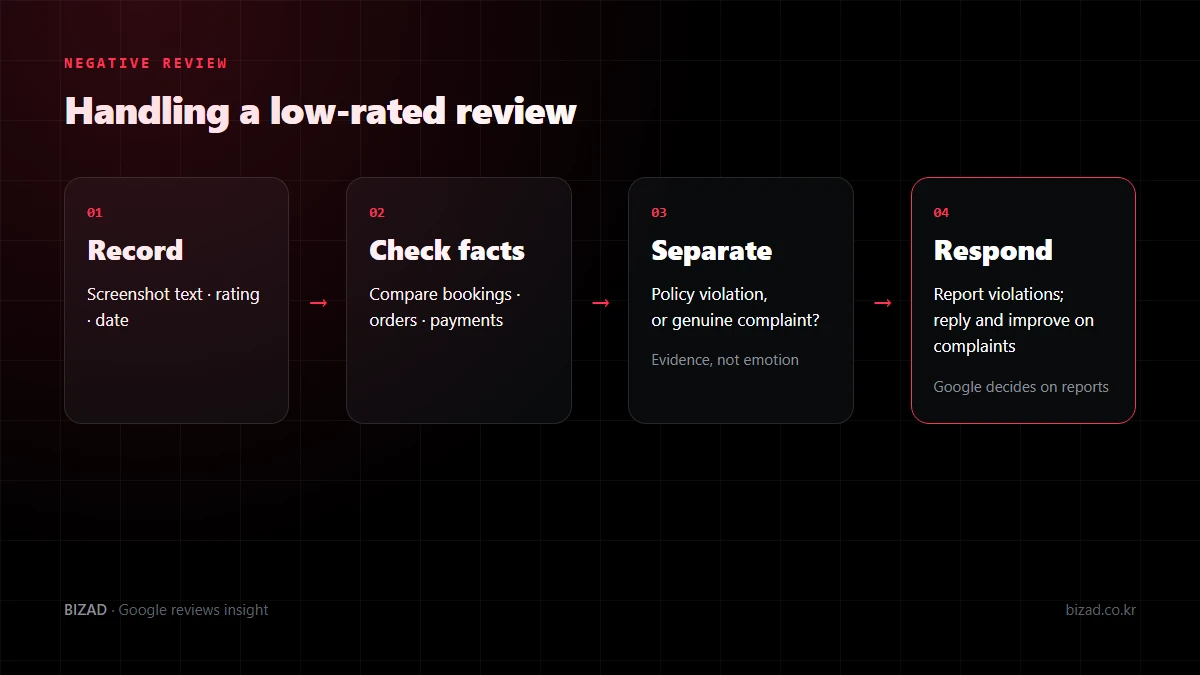
Handle genuine complaints with a reply and improvements, and report those that appear to break policy once you have gathered the evidence. The fewer reviews a business has, the more a single review moves its average, so the rating swings more.
Recovering your rating does not mean collecting a burst of reviews in a short time. The safe approach is to keep inviting real customers, as described above, so their satisfied experiences are shared naturally.
What should I do if I suspect review bombing?
Before replying in anger, keep a record, check whether there are grounds to treat it as a policy violation, and then report it through the official process. Not every low rating is review bombing, so first decide whether it is a real customer’s opinion.
- Low ratings arriving in a cluster over a short period
- Reviews with similar wording or the same pattern repeating
- No record of the visit at all in your own systems
- Only insults or abuse unrelated to any experience at the business
Screenshot the reviewer name, rating, date and text, note which policy each review appears to break, and report it. Rather than reporting the same review again and again before a decision, check the status and wait.
Keep replies short and calm. If you can’t confirm a visit, something like “We couldn’t find a record of your visit from the details given. If you let us know the date or what you used, we’ll look into it” asks for confirmation without accusing anyone, and reassures other customers.
Which reviews can I report, and will reporting remove them?
You can report reviews that break Google’s policies, but reporting does not guarantee removal. Google says it reviews reported content and removes it only when it violates policy, not because the business disagrees with it.
| Reviews you may report | Reviews that are hard to remove |
|---|---|
| Spam, or reviews with ads or external links | “The wait was long.” |
| Fake reviews not based on real experience, or posted from multiple accounts | “It felt expensive.” |
| Profanity, hate speech, harassment, or exposed personal information | “It wasn’t to my taste.” |
| Reviews by people with a conflict of interest, such as competitors | “The staff seemed unfriendly.” |
| Content unrelated to an experience at the business | Other subjective opinions based on a real visit |
To report, choose the review in your Business Profile’s review list, select the reason that truly applies, and submit. Google says you can track the status of reported reviews in its review management tool, and in some cases appeal the decision.
Reviews can take time, and Google makes the call. For reviews that are unlikely to be removed, a courteous reply and internal improvements work better than repeated reports.
Why do reviews suddenly disappear or not show up?
There are several reasons, including delays while reviews are checked, removal or filtering for policy violations, and changes to the profile. Google says reviews can take a few days to appear while they are checked against its policies.
- The review was just posted and is still being checked
- It was removed or hidden for violating policy, such as spam, ads or personal information
- It looks like unnatural activity, such as many reviews posted from one place in a short time
- The profile was recently merged or its name or address changed, delaying display
- It appears differently depending on sort order, device or account
Don’t check from just one device; try another account or device and sort by newest. Asking the customer whether they can see the review on their own screen helps you tell whether it was removed or only limited in display.
Avoid repeatedly asking customers to post again when a review doesn’t appear. Google says reviews removed for policy violations may not be restored, so asking naturally from the start is the safe course.
Can I delete photos uploaded by customers?
You can’t delete them yourself, but you can report them if they break policy. Photos you uploaded can be managed from your management screen, while customer photos go through a removal request, and Google decides the outcome.
- Compare with your real exterior and address to see whether it shows another place or branch.
- Check whether it exposes personal information or breaks the content policy.
- Keep “it’s dark” or “I don’t like how it looks” separate from a policy violation.
- Choose only a reason that matches the facts, and record the photo, submission date and outcome.
Separately from any request, upload photos that show how your business looks today. New photos won’t make a particular customer photo disappear or move it down, but they give customers more ways to see your current state.
Google reviews checklist
Start by checking how your business handles reviews against these items.
- I only ask customers who have actually used my business for reviews.
- I don’t offer discounts or services in return for reviews.
- I don’t set ratings or wording, or ask only customers likely to be positive.
- My review QR code opens the review screen for the right branch.
- I reply to what each review says, remembering replies are public.
- For negative reviews, I check internal records first and reply calmly.
- I never include customers’ personal information in public replies.
- I report only with evidence of a policy violation, using an accurate reason.
- After reporting, I check the status and wait.
- I don’t ask customers to repost when a review doesn’t appear.
- I turn recurring complaints into operational improvements.
In closing
Managing Google reviews is not about getting rid of bad reviews. It is about building a setup where real customers’ experiences accumulate steadily and the business responds to them sincerely. Report policy-violating reviews with evidence, but remember that Google makes the final decision.
Reread your current review requests and recent replies through a customer’s eyes. Start by checking that no request carries rewards or conditions, and that each reply actually answers its review.
We’ll check your review requests, replies and profile against Google’s policies and point out what to fix first.
Free audit