At a glance
Before visiting, foreign customers use Google Maps to find out what you sell, what it costs, how they can pay and how to find you. Your menu, photos and amenity details answer those questions in advance.
What matters is not filling in every field but matching what you really do. Google says businesses with accurate, complete information are more likely to connect with the right customers.
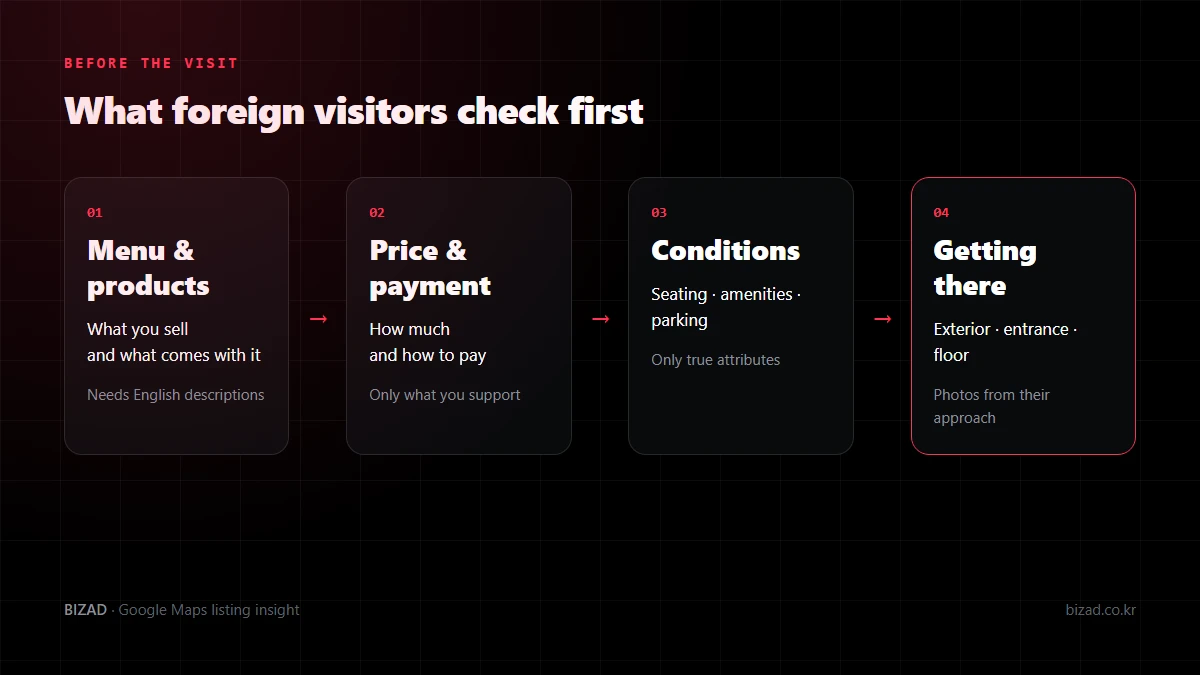
What do foreign visitors check on Google Maps before they come?
They check your menu and prices, how to pay, the conditions of use and how to get there. When choosing a place in an unfamiliar area, people try to answer their pre-visit questions on Google Maps first.
- What you sell and what comes with it — menu, products, services
- How much it costs and how to pay — prices and payment methods
- Under what conditions they can use it — seating, amenities, parking
- Where to go in — exterior, entrance, floor directions
If this information is missing or out of date, customers ask again or pick somewhere else. For foreign visitors who find it hard to phone in Korean, what your profile says matters even more.
Is it enough to translate menu item names into English?
No. With names alone, customers can’t tell what a dish is or whether it serves one or is a sharing plate, so they end up asking before ordering. Add a short note on the main ingredients, how it is cooked and the portion next to each name.
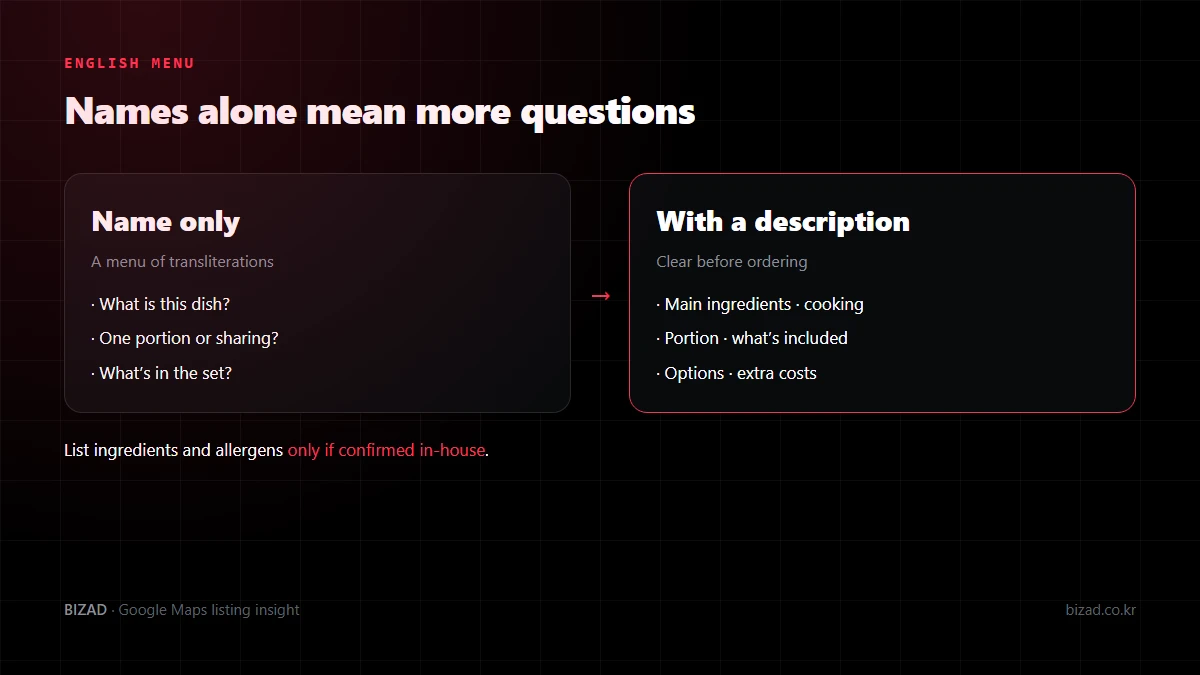
| Korean menu | Name only | With a description |
|---|---|---|
| 김치찌개 | Kimchi-jjigae | Kimchi stew with pork and tofu, for one |
| 모둠전 (2인) | Assorted jeon | Assorted Korean pancakes, serves two |
| 비빔밥 세트 | Bibimbap set | Bibimbap with soup and side dishes |
Before translating, lock down your Korean master menu with what you sell today and current prices. If discontinued items or old prices slip into the source, even a perfect translation won’t match what customers can actually order.
It is best not to guess about ingredients, allergens or suitability for particular diets. List only what you have confirmed in-house, and check any machine translation once more with the staff who take orders.
How should I manage menus and prices on Google Maps?
Manage them around what customers can order today, at today’s prices. If the listed menu, menu photos and linked menu page disagree, the price a customer expects can differ from the bill.
Food and drink businesses may be able to enter their menu directly in the profile. If you don’t see the feature, check which fields your profile currently offers rather than switching your business type.
- 01List only items you sell now. Note the end date for seasonal items.
- 02Check each item name and price as a pair. If the price varies by size or option, say how.
- 03Look for old price-list photos you uploaded yourself.
- 04Compare the linked menu page with the printed menu in the store.
- 05When prices change, decide who updates the map listing and from what date.
With a Google Maps menu, showing accurately what can be ordered now matters more than the number of items. If customers keep asking the same question, take it as a sign that part of the menu needs a better description.
What should businesses that sell products or services instead of a menu add?
Depending on your business type, you can add products or services. The available fields differ by category and profile, so start by checking what your management screen actually offers.
| Item | Products | Services |
|---|---|---|
| Name | The name of the product you actually sell | Words customers recognise (not internal codes) |
| Description | Contents, quantity, available options | What’s included, whether booking is needed, what to bring |
| Price | Explain the basis if it varies by option or quantity | Fixed price, or set after consultation |
| Link | The product’s own page or how to enquire | A booking page showing the same name |
Product listings may not show live stock levels. For items whose stock changes often, tell customers how to check before they visit, and assign someone to update the listing when items sell out or are discontinued.
Avoid stuffing prices, phone numbers or long strings of keywords into service names. If customers can’t find the service name they saw on the map on your booking page, they have to check again whether it is the same service.
How should I describe the payment methods I accept?
List only the payment methods you really support, together with their limits. “Cards accepted” is not the same as “all overseas cards accepted”, and promising approvals you haven’t confirmed can cause problems at the counter.
- Confirm what works today with your payment provider and the person in charge. Don’t judge by the logos on the terminal or old contracts alone.
- If branches use different terminals, list each branch separately.
- Agree with staff in advance which alternatives to offer when a customer asks for a method you don’t support.
The payment-related fields available in Google Business Profile can vary by region and business type. Some details may be shown based on information from customers, so not everything displayed can be changed directly by the owner.
Take care that the scope doesn’t widen in translation. Putting the map listing, printed menu, booking messages and counter signs side by side makes inconsistent wording easy to spot.
How much detail should I give about amenities and parking?
It is best to describe the actual conditions of use. Having a facility is not the same as every customer being able to use it at any time.
Turn on attributes such as amenities only when they are true. If the option you want doesn’t exist, explaining it on your website or booking page is safer than switching on a similar attribute. When BizAd sets up a profile, we only add attributes confirmed with the business.
- Type of parking — say whether it is your own lot, a partner lot or a nearby paid car park.
- Vehicle entrance — in large buildings the main door and the car park entrance may be on different streets, so give separate directions.
- Conditions — check the hours covered, extra charges, vehicle restrictions and any receipt or plate-registration steps.
- Route after parking — tell customers which door or lift brings them to your business.
Avoid moving your map pin to the car park. Keep the business location accurate and provide separate parking directions to reduce confusion.
Which photos should I upload to Google Maps?
From the photos alone, people should be able to tell what they can eat, what the space is like and where to go in. To get there, upload photos that answer the questions customers have before visiting.
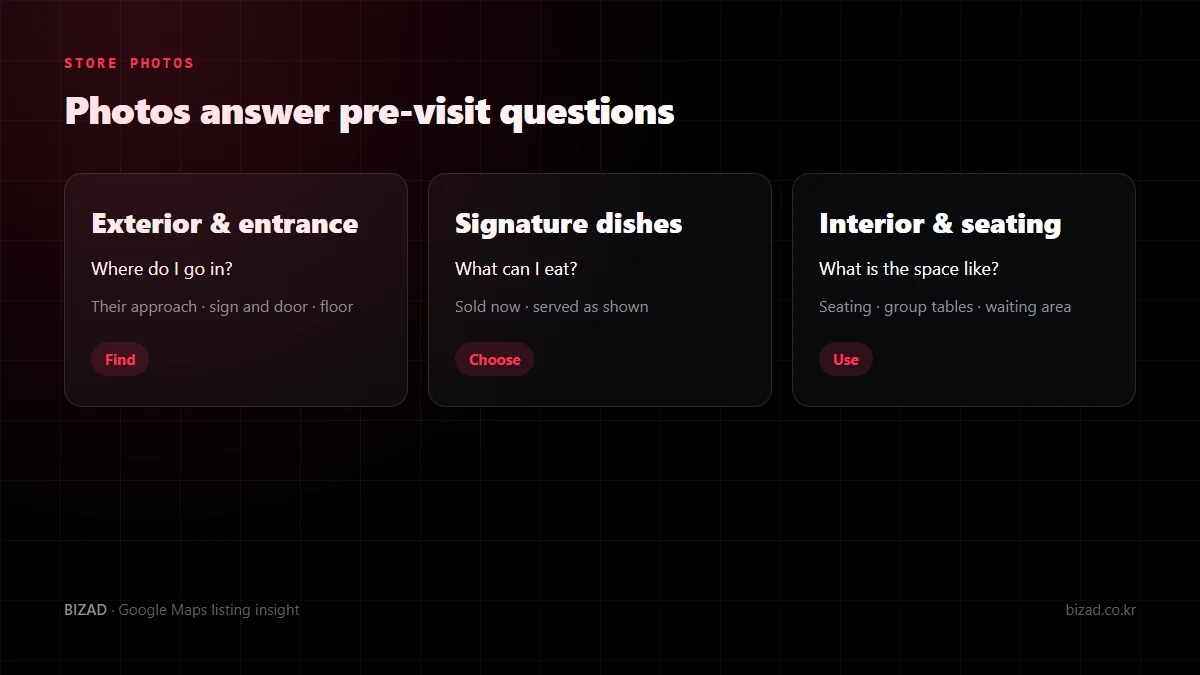
Photograph signature dishes you sell now, exactly as they are served. For interiors, rather than heavy editing to make the room look bigger, show what helps people decide: seating layout, group tables and waiting areas.
Uploaded photos don’t appear to customers immediately, and a cover photo you set won’t always be shown first. Rather than relying on a single image, prepare several photos that describe your business consistently, and check on a phone that nothing important is cropped.
If you have changed your sign or interior, start by tidying up the older photos you uploaded yourself. More photos alone are unlikely to lift your ranking; what comes first is having the photos customers need to decide.
How should businesses inside a building or on an upper floor photograph their entrance?
Take photos from the direction customers actually walk in, showing the sign and the door together. A straight-on shot of the sign alone won’t help people arriving from an alley or the back of the building find the way in.
If you are inside a building, show the points customers pass in order.
- 01The building as seen from the nearest station exit or junction
- 02The building’s shared entrance
- 03The lift or floor directory
- 04Your own door and sign
If you open in the evening, adding a night-time view of the exterior helps too. Before uploading, check that no photos of another branch or the next building have slipped in, and that a staff-only door doesn’t look like the customer entrance.
How should I write Google Maps updates (posts)?
Keep to one piece of news per post and state the dates and which branch it applies to. Put the one thing customers need to know — a new dish, a change to the space, an event date — in the first sentence.
- Choose a current photo that matches the news. Keep text in the image short and put the details in the body.
- Open the post on a phone and check that the button leads to a page showing that information.
- After posting, check that it actually appears to customers. Posts may or may not go live depending on review.
- Regularly check that finished events and changed dates are not left up.
Mentioning opening hours in a post does not change the hours on your profile. Update the core details separately, and focus on sharing the news customers need accurately rather than posting more often.
What should I check after updating my business information?
Don’t stop at the management screen: check the result on the screen customers see, and make sure every other place carrying the same information was updated too. If you only change the Korean menu, the foreign-language menu may keep showing the old terms.
- Menu, products, services and attributes on your Google Maps profile
- Menu boards and store photos uploaded to Google Maps
- Your website and booking page
- In-store menus, counter signs and booking confirmation messages
- Foreign-language menus and notices
Keep a list of these channels and record the date of each change and who checked it, so outdated information doesn’t linger even with several people involved. Questions customers ask often are clues to what needs explaining better next.
Menu, photos and amenities checklist
Open your profile as a first-time foreign visitor would, and check these items.
- My Korean master menu reflects what I sell today and current prices.
- My English menu includes main ingredients, cooking style and portion.
- I haven’t listed ingredients or allergens I haven’t confirmed.
- Product and service entries match real terms and my booking page.
- I only list the payment methods I actually support.
- I have only turned on amenity attributes that are true.
- Parking type, vehicle entrance and conditions are explained separately.
- Exterior, entrance, signature-dish and interior photos show how things look today.
- Each post covers one piece of news, with dates and branch stated.
- After any change, I checked the customer view and my other channels.
In closing
Your menu, photos and amenity details answer the questions customers want to ask before they come. Matching them accurately to how you operate today matters more than filling in every field.
Open your profile on a phone as if you were a foreign visitor coming for the first time. If you can’t tell right away what is sold, how to pay or where the entrance is, that is the place to start.
We’ll look at your profile the way foreign visitors see it and point out what to fix first in your menu, photos and amenities.
Free audit